They comment. The DM goes out on its own.
When someone comments 'price' or 'link' on your post, DMpilot sends the DM you wrote, right away. At 3 a.m. too, and mid-live.
iPhone app · works with Instagram professional accounts
Here's the price list. Tap below to see it.
An automation is one sentence
Fill in three blanks in the app and you're done. No settings screens, no jargon.
When someone comments price2 on this post1, DM them the price list link3
- 1
Pick a post
Choose the post from your feed, or let it run on every post.
- 2
Set the keyword
Use the words people actually type: 'price', 'info', 'link'.
- 3
Write the DM
Add your message and a link button, and check the preview before it goes live.
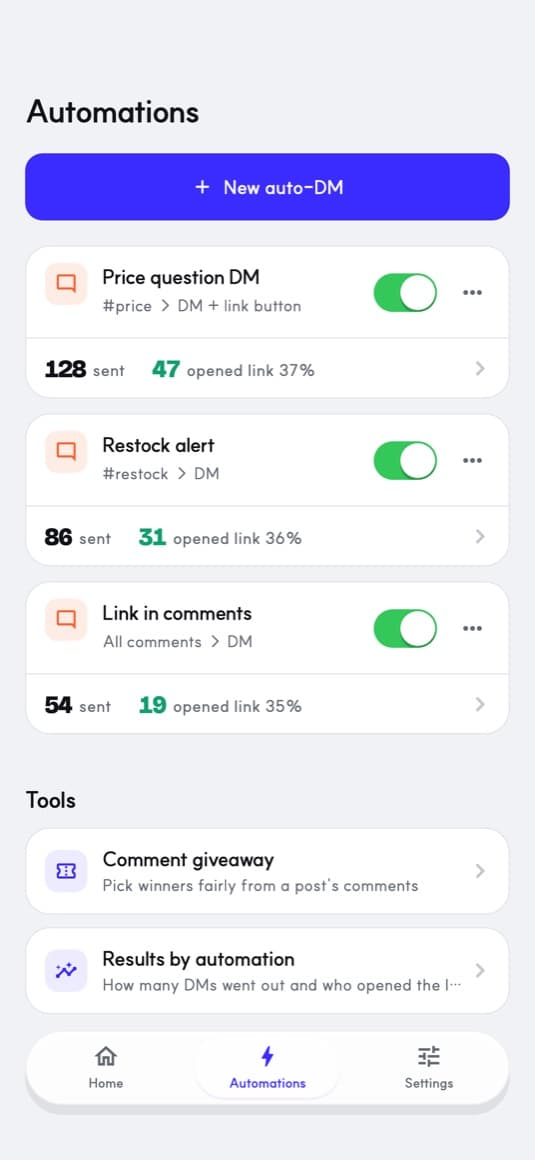
See who opened the link
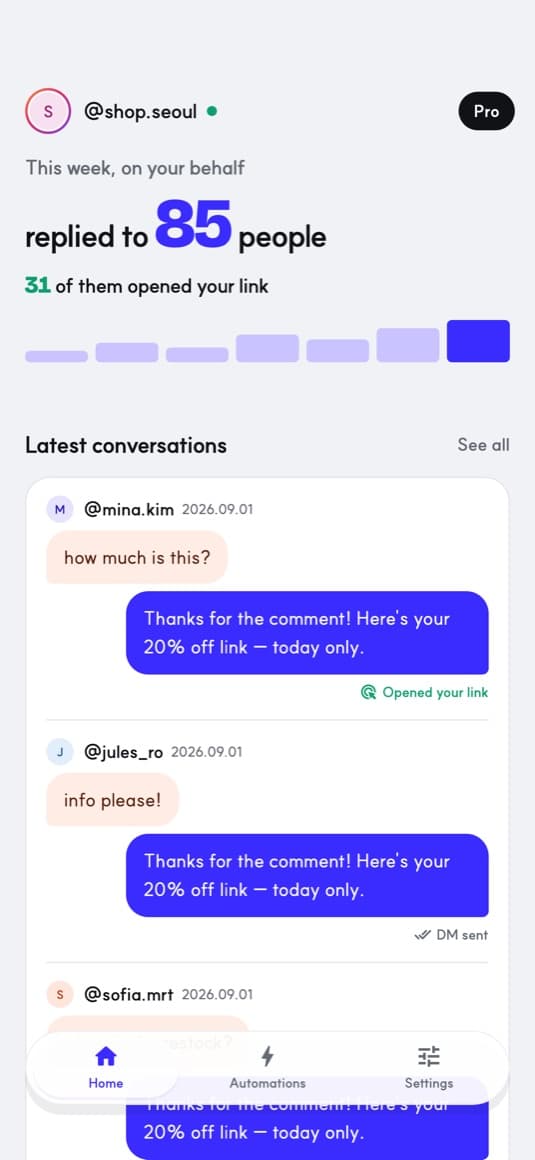
How many people you answered this week, how many opened the link, per automation. You see which post sells.
Pricing
Free
$0
- 1 automation on at a time
- Reply to 50 people a month
- Comment automations
Pro
$6.99/mo
$59.99 a year
- Unlimited automations
- Reply to 20,000 people a month
- Auto-reply to DMs and story mentions
The first 7 days are free. Cancel during the trial and you won't be charged.
Billing and cancellation go through your App Store subscription. Prices vary by country.
Sent the way that keeps your account safe
Only Instagram's official API
We never ask for your password or log in as the app. You connect with Instagram's own login.
Only people who spoke first
DMs go only to people who commented, and once per person per post.
Never all at once
An hourly limit and a ten-minute pace limit apply. When comments pile up, replies go out in order.
Questions
Can my account get banned?
No one can promise that. DMpilot lowers the risk: official API only, replies only to people who commented, within send limits. Your message content still has to follow Meta's policies.
Does it work with a personal account?
You need an Instagram professional (business or creator) account. Switching is free in Instagram's settings.
Is there an Android app?
iPhone only for now. The Android app is on the way.
How do I cancel?
Any time, from Subscriptions in your iPhone settings. You keep Pro until the period ends.
@mina.kim
how much is this?